如何制作React+Express 的開發環境

React 是一個Web應用程式前端Framework, 而Express 是一個server端的一個Node.js Web 應用程式架構。要令React 前端應用程式可以和server端的API溝通,我們需要將React request proxy 到 server端的API,以下就是相關的步驟。

首先在command prompt下,輸入以下command來制作新的react application:

npm init react-app my_apps
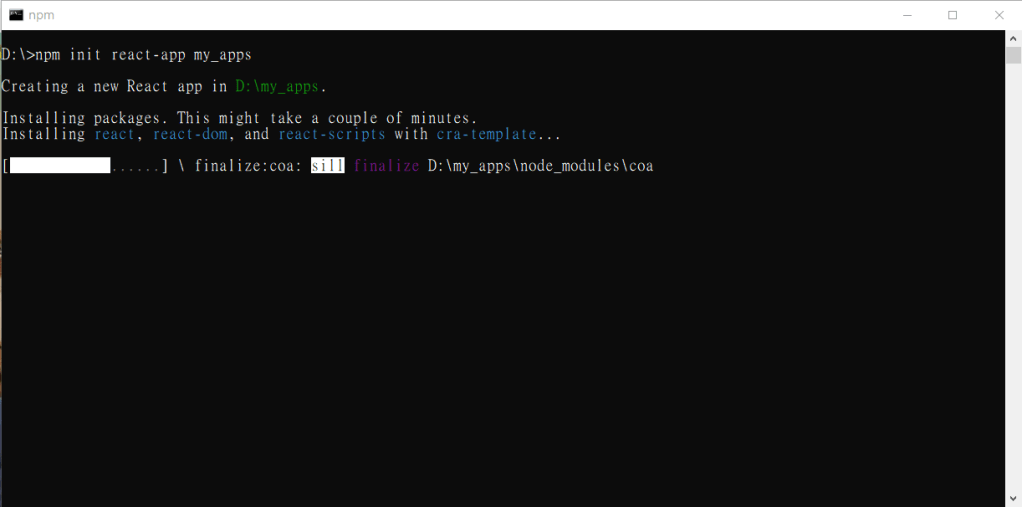
制作新的react application 成功之後就出現以下畫面:
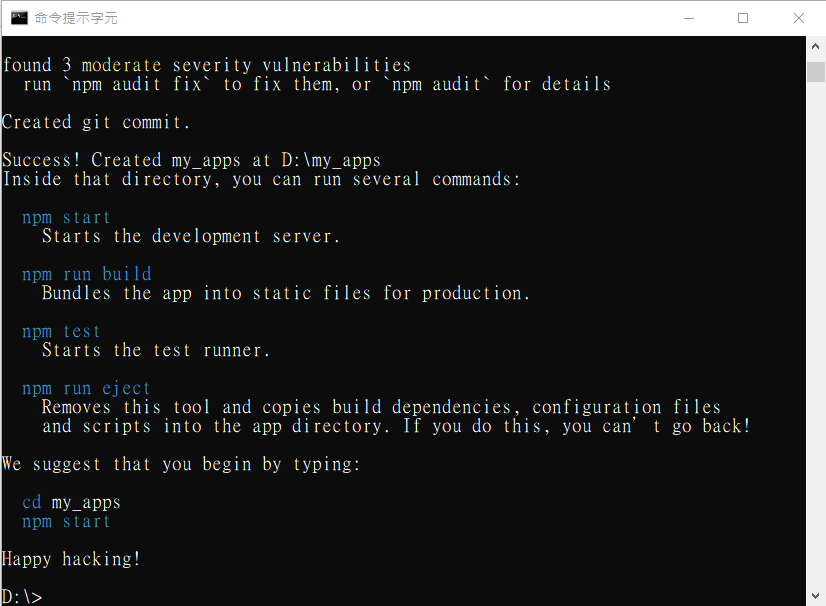
根據螢幕上指示輸入以下command 來啟動新的react application:

cd my_apps
npm start

如果啟動成功的話成功之後就出現以下畫面:
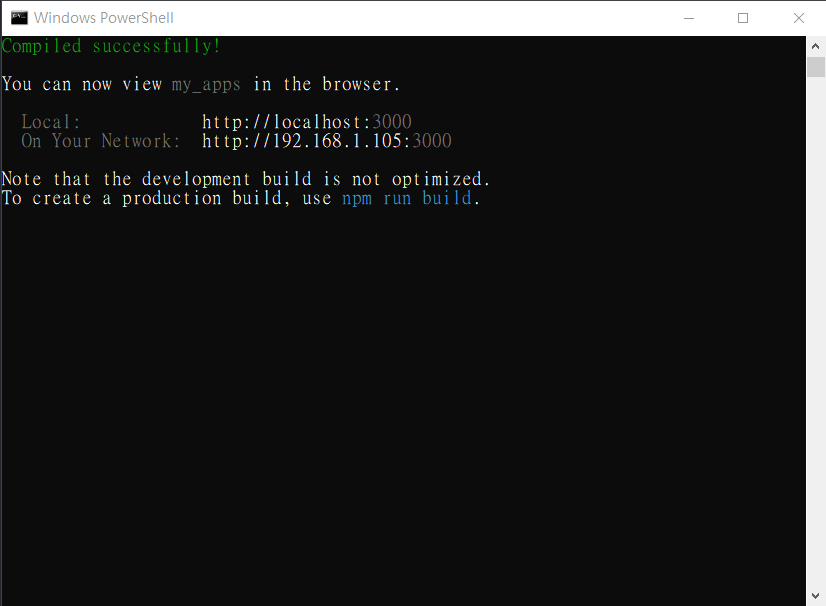
還有彈出default browser,然後瀏覽到http://localhost:3000
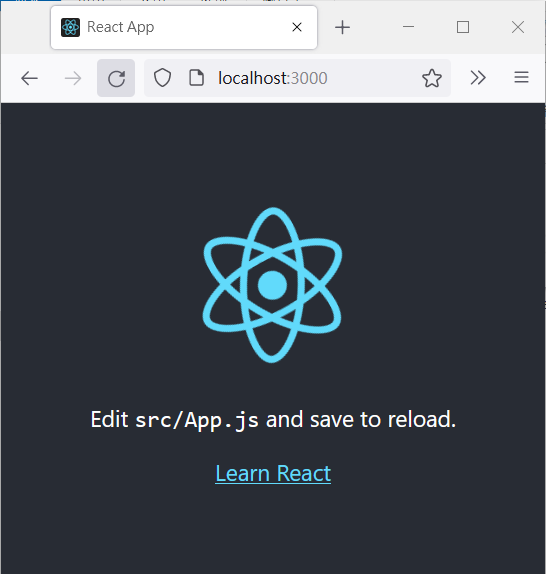
在command prompt 下按ctrl-c 來停止application,之後輸入以下command來安裝相關Node.js module:

npm install express dotenv-flow nodemon npm-run-all 

先來介紹一下相關node.js module 的用處:

  • express:是用來處理http request 的一個node js module。
  • dotenv-flow:當我需要讀取環境參數(environmental variable )就需要這個node js module。
  • nodemon:在我們更改程式碼儲存之後,透過這個module 它會幫我們restart server,我們不用人手去restart server 令新程式碼生效。
  • npm-run-all:就是令我們可以同塒啟動react 和express 的module。

安裝完畢之後, 開啟my_apps/package.json 這個file,然後在scripts section 內加入以下設定:

“dev": “set NODE_ENV=development&&run-p server start",
“server": “nodemon -r dotenv/config ./server/index.js",

完成之後scripts section會變成這樣:

"scripts": {
    "build": "react-scripts build",
	"dev": "set NODE_ENV=development&&run-p server start",
    "eject": "react-scripts eject",
	"server": "nodemon -r dotenv/config ./server/index.js",
	"start": "react-scripts start",
    "test": "react-scripts test"
  }
  • “dev": “set NODE_ENV=development&&run-p server start",這句是用來定義environment variable 和同時啟動express 和react。
  • “server": “nodemon -r dotenv/config ./server/index.js",這句是用nodemon 來啟動 ./server/index.js 這個server 端程式。

加入以下這句就可以proxy react request 到express server了

"proxy": "http://localhost:8080",

由於設定了environment variable NODE_ENV 做development,所以在my_apps這個資料夾內新增一個叫.env.development 的file ,其內容如下:

DATABASE_NAME=my_app_dev
REACT_APP_Mode=Development
REACT_APP_PROXY_HOST=8080

根據react 規定,environment variable name一定要用REACT_APP_開頭的才能在react application內讀到這個variable的value。

之後在my_apps 之下新增一個名叫"server" 的資料夾, 在這個資料夾內新增一個叫index.js 的file, 然後貼上以下程式碼最後儲存這個file。

require('dotenv-flow').config();
const express = require('express');
const app = express();
app.use(express.urlencoded({extended: true}));
console.log('database name:'+process.env.DATABASE_NAME);
app.listen(process.env.REACT_APP_PROXY_HOST, () =>
  console.log('Express server is running on localhost:'+process.env.REACT_APP_PROXY_HOST)
);

這個index.js 的程式碼就是讀取.env.development 這個file 的設定來啟動express server,
除此之外還在console 中顯示"DATABASE_NAME"這個environment variable 的value.

開啟my_apps/src/App.js這個file, 將以下這行程式碼:

{process.env.REACT_APP_Mode} Mode

加到"Learn React" 之後,即是以下這樣:

<a className="App-link"
			href="https://reactjs.org"
			target="_blank"
			rel="noopener noreferrer">
			Learn React
</a>
{process.env.REACT_APP_Mode} Mode

然後回到command prompt執行以下命令來啟動server:

cd my_apps
npm start

如果成功的話browser 會出現以下畫面:
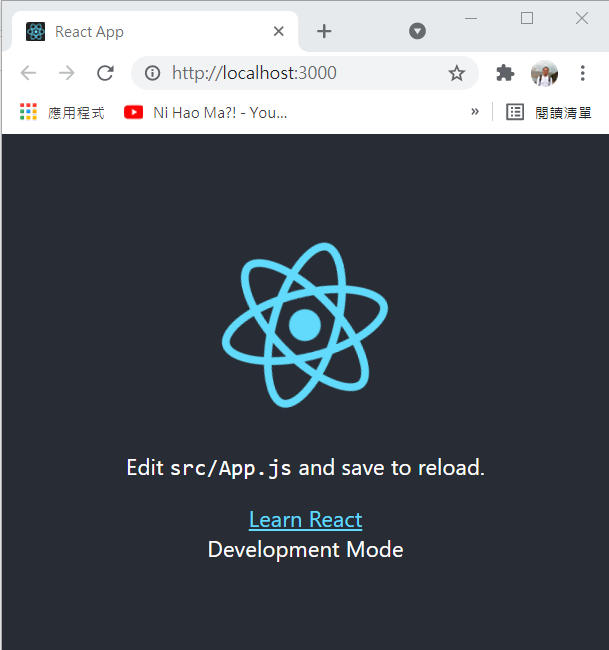
之後我們撰寫程式來示範如何call server 端API的,

Client Side(my_apps/src/APP.js)

			import {useEffect,useState} from "react";
			import logo from './logo.svg';
			import './App.css';

			function App() {
				const [greetingMsg,setGreetingMsg]=useState("");
				useEffect(()=>{
					const getData = async () => {
						let url="/api/greeting?locale="+navigator.language;
						fetch(url)
						.then(response=>response.json())
						.then(msg => setGreetingMsg(msg.greeting));
					};
					getData(); 
				},[]);	
				return (
					<div className="App">
						<header className="App-header">
							<img src={logo} className="App-logo" alt="logo" />
							<p>
							Edit <code>src/App.js</code> and save to reload.
							</p>
							<a
								className="App-link"
								href="https://reactjs.org"
								target="_blank"
								rel="noopener noreferrer"
							>
							Learn React
							</a>
							<div>{greetingMsg}</div>
							{process.env.REACT_APP_Mode} Mode
						</header>
					</div>
				);
			}
			export default App;

Server Side(my_apps/server/index.js):

require('dotenv-flow').config();
		const express = require('express');
		const app = express();
		app.use(express.urlencoded({extended: true}));
		console.log('database name:'+process.env.DATABASE_NAME);
		app.get('/api/greeting', (req, res) => {
		  const locale = req.query.locale || 'en-US';
		  console.log(locale);
		  switch (locale){
			case "zh-TW":
				msg="你好嗎";
				break;
			default:
				msg="Hello";
				break;
		  }
		  res.setHeader('Content-Type', 'application/json');
		  res.send({greeting: msg });
		});
		app.listen(process.env.REACT_APP_PROXY_HOST, () =&gt;
		  console.log('Express server is running on localhost:'+process.env.REACT_APP_PROXY_HOST)
		);

解說:
首先由client side 將browser 的locale 傳送到server side 的API(即是/api/greeting),server side 的API收到client side傳來的locale 值之後,
如果收到的locale 是"zh-TW"就會轉回"你好嗎"給client side,如果不是轉回"Hello" 給client side.

完成以後會彈出default browser,然後瀏覽到http://localhost:3000,如果browser的locale設定了"zh-TW",以下畫面就會出現:

如果browser的locale設定了其他值,以下畫面就會出現:


參考網頁:

https://www.twilio.com/blog/react-app-with-node-js-server-proxy

https://create-react-app.dev/docs/proxying-api-requests-in-development/

https://create-react-app.dev/docs/adding-custom-environment-variables/

#javascript

#react

#express

如何用WebRTC API來制作網頁即時通訊應用程式 (準備篇)

在編寫網頁即時通訊應用程式之前,我們要準備以下東西:

  1. Web Server
  2. SSL Certificate

Web Server:

其實什麼的web server (如 Apache, IIS) 都可以,只要支援SSL certificate 和讓用戶可以access 到的網頁應用程式就可以了。

SSL Certificate:

在access用戶的media (如 web cam) 時,如果browser和web server 之間的連線不是通過SSL channel 的話,存取會被拒絕(access denied)的。如果網頁應用程式只在本機(即是localhost)執行就可以不用SSL Certificate。

SSL Certificate 主要是分為付費和不用付費兩種:

  1. 付費類:
    • 可以跟ISP 或 Certificate Authority申請,多數是按年期收費的。
  2. 不用付費:
    • 又再分短期和長期使用的。
      • 短期使用:
        • 短期使用的例如: SSL for free,這類的SSL certificate 通常會給用戶免費用一段時期(例如:90日),之後就要求用戶轉做付費計劃的,否則這個SSL certificate 就不能再用,這點要注意。
      • 長期使用:
        • 如果不想付費又想長期使用的話就只有用Let’s Encrypt了,她的原理是透過在web server 安裝software(就是所謂Certbot client)來證明對該web server有控制權,當然有人覺得這樣做不安全,不過沒錢就沒辦法,以下網頁可以下載到相關的software:
          https://letsencrypt.org/docs/client-options/

#javascript

#WebRTC

How to Use MySql2 promise in Node.js

I am converting the old java code to node.js. First, I refer to this page, I used the prepared statement sample code. However, I found that the sample code quite clumpy, so I give up to use this code.

After that, I found the promise method, the example code is much simpler. So, I created a database class for accessing a MySQL Database.

class DBO
{
	constructor(){
		const mysql = require('mysql2');
		const dbConfig={
				charset	:"utf8",
				host		:"yourServer",
				user     	:"userName",
				password	:"password",
				port		:3306,
				database 	:"school"
			};
		dbConfig["multipleStatements"]=true;
		dbConfig["insecureAuth"]=true;	
		const connection = mysql.createConnection(dbConfig);
/************************
* Get a student record *
************************/
this.getStudent=async(stdId=>{
let sqlString ="select * from student where id=?";
return await executeQuery(sqlString,[stdId]);
});

/*******************************
* Get a list of student record *
********************************/
this.getStudentList=async(year, month)=>{ let sqlString ="select * from student"; return await executeQuery(sqlString); } this.close=()=>{ connection.end(err=>{ if (err) throw err; console.log("Disconnect from "+dbConfig["host"]+" successfully!"); }); }

/************************************************************************
* Put the query code into a function for making the code more readable.*
************************************************************************/ function executeQuery(sql,para){ return connection.promise().query(sql,para) .then(([rows]) => { return rows }) .catch(err=>{ throw(err); }) } } }

The following sample code is used to call the object directly.

let dboObj=new DBO();
dboObj.getStudentList()
.then(result=>{
	console.log("Get Student List ok");
})
.catch(err=>{
	console.log("Some wrong when getting data:"+err);
})
.finally(()=>{
	dboObj.close();
});

To call the DBO object from another object:

class Student
{
constructor(stdId){
this.id='';
this.name='';
this.class='';

if (stdId!==undefined){
let DBO=require("./dbo.js");
let dboObj=new DBO();

dboObj.getStudent(stdId)
.then(result=>{
this.id=stdId;
this.name=result.name;
this.class=result.class;
})
.catch(err=>{
console.log("Some wrong when getting a student record:"+err);
})
.finally(()=>{
dboObj.close();
});
}
}
static async getStudentList(){ let DBO=require("./dbo.js"); let dboObj=new DBO(); let resultObj={}; try{ let resultList=await dboObj.getStudentList(); resultList.forEach(result=>{ let studentObj=new Student(); studentObj.name=result.name; studentObj.class=result.class; resultObj[result.id]=studentObj; }); return resultObj; } catch(err){ throw(err); } finally{ dboObj.close(); } } }

#javascript

#mysql

How to create a JSP + Angular development environment

I am a Java Web Application developer, and I am learning Angular Framework recently.
I found that there are many problems when developing a web application using JSP and
Angular Framework (such as Angular routing, CORS).

In order to solve the problem, so I am looking for a solution in Google, the solutions found are as follows:

  1. Modify the Tomcat Server setting, you may click here for detail
  2. Implement a Servlet Filter to perform a URL redirect

I don’t want to modify the Tomcat Server setting, so I chose the second solution.
Although someone has made a UrlRewriteFilter, it can’t achieve the desired effect.
After a round of research and testing, it was finally done.

Before I go ahead, let me introduce my folder structure:

E:.
└─workspace
    └─DemoWeb
        ├─frontEnd <==This folder is used to store Angular project files
        └─jsp	   <==This folder is used to store the files of the Dynamic Web(JSP) project

My development environment is as below:

  1. Eclipse Version 2019-06 (4.12.0)
  2. Angular CLI version 8.3.3
  3. Node version 10.16.3
  4. Tomcat version 8.5
  5. Windows 10

Create a simple Java Web Application:

For the convenience of explanation, let’s create a simple Java Web Application:

  1. Start the Eclipse environment
  2. Click File -> New Project -> Dynamic Web Project
  1. Click “Next", Enter “DemoWeb" for the Project name
  1. Click “Finish"
  2. Right-click the project, and click “Java EE Tools" -> “Generate Deployment Descriptor stub" to generate the web.xml file.
  1. Finally, add an index.jsp to the context root to show that this is the “JSP site".
  2. In the index.jsp, using the following coding to replace the existing content.
<%@ page language="java" contentType="text/html; charset=UTF-8″ pageEncoding="UTF-8″%>
<!DOCTYPE html>
<html>
<head>
<meta charset="UTF-8″>
<title>This is a JSP page.</title>
</head>
<body>
<%="This is a JSP page." %>
</body>
</html>
  1. Press Ctrl-S to save the file.
  2. Right-click the jsp, click “Run as", and then click “Run on Server".
    The default browser should automatically popup and display the following screen:
  1. At this point back to Eclipse, stop the tomcat server by pressing the red circled button.

Build an Angular Project

  1. Start VS code,click File->Open Folder ->Select E:\workspace\DemoWeb
  1. Press Ctrl-`, and the terminal would be shown.
  1. In the terminal, to create a new Angular Project enter the following command:

    ng new frontEnd
  2. Then press “Y" and enter once, after that wait for the project building process complete.
  3. Click “frontEnd" on the left pane, then click “src"->"app"
  4. Finally, open the file “app.component.html"
  1. Delete all the contents of this file and replace it with the following:
<!DOCTYPE html>
<html>
<head>
<meta charset="UTF-8″>
<title>This is Angular page.</title>
</head>
<body>
This is Angular page.<br>
<a href="admin/">Go To Admin. Page</a>
<router-outlet></router-outlet>
</body>
</html>
  1. In the terminal, change to the project directory by entering the below command:

    cd frontEnd

  2. Enter the following command to start the Angular built-in server.

    ng serve -o

  3. The default browser should automatically popup and display the following screen:
  1. At this point, go to the terminal press ctrl-c to stop the Angular build-in server.

Create an Admin. Page

I create an admin. component to show the Angular routing is working properly.

  1. In the terminal, enter the following command to generate the admin. component:

    ng g component Admin

Create an Angular Routing

  1. Click “frontEnd" on the left pane, then click “src"->"app"
  2. Open the file “app-routing.module.ts"
  3. Add routing as below:
import { NgModule } from ‘@angular/core’;
import { Routes, RouterModule } from ‘@angular/router’;
import { AdminComponent } from ‘./admin/admin.component’;
const routes: Routes = [
{ path:  ‘admin’, component:  AdminComponent}
];
@NgModule({
 imports: [RouterModule.forRoot(routes)],
 exports: [RouterModule]
})
export class AppRoutingModule { }

  1. Press Ctrl-S to save the file

Test the Angular Routing

  1. Enter the below command in terminal

    ng serve -o

  2. The default browser should automatically popup and display the following screen:
  1. Click the “Go To Admin. Page" link. The following screen should appear:
  1. At this point, go to the terminal press ctrl-c to stop the Angular build-in server.

Configure the Angular’s output folder

  1. Click “frontEnd" on the left pane, then open the “angular.json"
  2. Change the below setting from

    “outputPath": “dist/frontEnd"

    to

    “outputPath": “E:\workspace\DemoWeb\jsp\WebContent\frontEnd",

  3. Press Ctrl-S to save the file. After that, Angular will copy all the compiled files to the “frontEnd" folder of the Eclipse project directory.
  4. In the terminal, enter the following command:

    ng build -–watch –base-href /DemoWeb/frontEnd/

    • We need to set the base href to fit the JSP context path.
    • Because the end of the output path setting is “frontEnd", so the end here is “frontEnd" also.

According to this page, to make the Angular routing work properly, we need to forward all access “frontEnd/"
request to /frontEnd/index.html. To achieve this goal, we need a servlet filter.

Add a servlet filter

  1. Back to the Eclipse environment, right the project->"New"->"Filter"
  1. Enter the package name and filter class name
  1. Click “Next", then Click “/AngularFilter"
  1. Click on “Edit" button, enter “/frontEnd/*", then “Ok" Button.
  2. Click on the “Finish" button to complete the process.
  3. At this point, the editor should display the content of “AngularFilter.java"
  4. Delete all the contents of this file and replace it with the following:
/*
 * Copyright 2004-2005 the original author or authors.
 *
 * Licensed under the Apache License, Version 2.0 (the "License");
 * you may not use this file except in compliance with the License.
 * You may obtain a copy of the License at
 *
 *      http://www.apache.org/licenses/LICENSE-2.0
 *
 * Unless required by applicable law or agreed to in writing, software
 * distributed under the License is distributed on an "AS IS" BASIS,
 * WITHOUT WARRANTIES OR CONDITIONS OF ANY KIND, either express or implied.
 * See the License for the specific language governing permissions and
 * limitations under the License.
 */

package com.filter;
import java.io.File;
import java.io.IOException;
import javax.servlet.Filter;
import javax.servlet.FilterChain;
import javax.servlet.FilterConfig;
import javax.servlet.FilterRegistration;
import javax.servlet.ServletContext;
import javax.servlet.ServletException;
import javax.servlet.ServletRequest;
import javax.servlet.ServletResponse;
import javax.servlet.annotation.WebFilter;
import javax.servlet.http.HttpServletRequest;
import javax.servlet.http.HttpServletResponse;
/**
 * @author Roy Tsang
 *
 */
/**
 * Servlet Filter implementation class AngularFilter
 */
@WebFilter("/frontEnd/*")
public class AngularFilter implements Filter {
	FilterConfig filterConfig;
    /**
     * Default constructor. 
     */
    public AngularFilter() {
        // TODO Auto-generated constructor stub
    }

	/**
	 * @see Filter#destroy()
	 */
	public void destroy() {
		this.filterConfig = null;
	}

	/**
	 * @see Filter#doFilter(ServletRequest, ServletResponse, FilterChain)
	 */
	public void doFilter(ServletRequest request, ServletResponse response, FilterChain chain) throws IOException, ServletException {
		String destination,angularRootPath,realPath; 
		HttpServletRequest httpRequest = (HttpServletRequest) request;
		HttpServletResponse httpResponse=(HttpServletResponse)response;
		ServletContext context = httpRequest.getServletContext();
		destination =httpRequest.getServletPath();
		realPath =context.getRealPath(destination);
		angularRootPath="";
		File f = new File(realPath);
		if (f.exists()) {
			chain.doFilter(request, response);
		} else {
			FilterRegistration fr= context.getFilterRegistration(this.getClass().getName());
			for (String mapping: fr.getUrlPatternMappings()) {
				mapping=mapping.replace("/*", "");
				if (destination.indexOf(mapping)>-1) {
					angularRootPath=mapping;
					break;
				}
			}
			if (angularRootPath.equals("")) {
				httpResponse.sendError(HttpServletResponse.SC_NOT_FOUND);
			} else {
				filterConfig.getServletContext().getRequestDispatcher(angularRootPath+"/index.html").forward(request, response);
			}
		}
		f=null;		
	}

	/**
	 * @see Filter#init(FilterConfig)
	 */
	public void init(FilterConfig fConfig) throws ServletException {
		this.filterConfig=fConfig;
	}

}
  1. Save the file
  2. Right-click the project, click “Run as", and then click “Run on Server".
    The default browser should automatically popup and display the following screen:
  1. Browse http://localhost:8080/DemoWeb/frontEnd/, and the browser should appear on the following screen:
  1. Click the “Go To Admin. Page" link. The following screen should appear:
  1. If “admin works!" Appears, the setting is successful.

The related source code can be downloaded from here.

如何制作JSP+Angular 的開發環境

我本身是一個Java Web Application developer, 最近在學Angular Framework,
發覺要分開來開發會出現很多問題(如 Angular routing, CORS),為了解決問題,
所以在Google  裡尋找解決方案,尋找到的解決方案如下:

  1. 改動Tomcat Server setting, 詳細可以 click這裡

  2. 用Servlet Filter 來做 URL redirect。

我不想改動Tomcat Server setting, 於是我用了第2個方案。
雖然有人已經做了一個UrlRewriteFilter可是做不到想要的効果,
最後經過一輪的Research 和測試之後終於做到了。

在解說之前, 我介紹一下我的資料夾結構:

E:.
└─workspace
    └─DemoWeb
        ├─frontEnd	<==這個資料夾是用來儲存Angular project 的檔案	
        └─jsp		<==這個資料夾是用來儲存Dynamic Web project 的檔案

再來,以下是我的開發環境:

  1. Eclipse Version 2019-06 (4.12.0)

  2. Angular CLI version 8.3.3

  3. Node version 10.16.3

  4. Tomcat version 8.5

  5. Windows 10

為方便解說, 我們先來做一個簡單Java Web Application:

  1. 打開Eclipse

  2. Click File -> New Project -> Dynamic Web Project

  3.  Click “Next", Project name 輸入"DemoWeb"

  4. Click “Finish"

  5. 右鍵點選這個 project , 點選"Java EE Tools" ,再點選"Generate Deployment Descriptor stub" 來產生web.xml

  6. 最後在context root 加一個index.jsp 來展示這是JSP的"地盤"

  7. 在index.jsp裡面輸入以下內容:
    <%@ page language="java" contentType="text/html; charset=UTF-8″ pageEncoding="UTF-8″%>

    <!DOCTYPE html>
    <html>
    <head>
    <meta charset="UTF-8″>
    <title>This is a JSP page.</title>
    </head>
    <body>
    <%="This is a JSP page." %>
    </body>
    </html>

  8. 然後按"Ctrl-S"儲存。

  9. 右鍵點選這個jsp, 點選"Run as" ,再點選"Run on Server", 此時Windows 的預設瀏覽器應會自動跑出來並顯示以下畫面:

  10. 此時回到Eclipse, 按下被紅圈圈著那個制去停止tomcat server:

再來建立Angular project:

  1. 打開VS code, 然後click File->Open Folder ,然後點選"E:\workspace\DemoWeb"

  2. 按"Ctrl-`", terminal 就會出現

  3. 然後在terminal 中下達以下命令來建立新的Angular project:

    ng new frontEnd

  4. 之後按"Y" 和按一下enter, 然後等待Angular project建立完成

  5. 點選左手邊的"frontEnd" ,再點選"src",再點選"app"

  6. 最後點選"app.component.html"這個檔案,

  7. 將這個檔案的內容全部刪去,換上以下內容:

    <!DOCTYPE html>
    <html>
    <head>
    <meta charset="UTF-8″>
    <title>This is Angular page.</title>
    </head>
    <body>
    This is Angular page.<br>
    <a href="admin/">Go To Admin. Page</a>
    <router-outlet></router-outlet>
    </body>
    </html>

  8. 再click terminal 一下,輸入以下指令進入我們剛剛新建Angular project目錄裡:

    cd frontEnd

  9. 接著再輸入:

    ng serve -o

  10. 此時Windows 的預設瀏覽器應會自動跑出來並顯示以下畫面:

  11. 此時再click terminal 一下回到terminal ,按"Ctrl-C" 來停止ng serve

制作Admin. Page

  1. 要制作Admin. Page 我們需要Admin. Page Component,
    輸入以下指令來產生Admin. Page Component

    ng g component Admin

制作Routing

  1. 點選"frontEnd"->src->app->app-routing.module.ts

  2. 加入routing


    import { NgModule } from ‘@angular/core’;

    import { Routes, RouterModule } from ‘@angular/router’;
    import { AdminComponent } from ‘./admin/admin.component’;
    const routes: Routes = [
    { path:  ‘admin’, component:  AdminComponent}
    ];

    @NgModule({
     imports: [RouterModule.forRoot(routes)],
     exports: [RouterModule]
    })

    export class AppRoutingModule { }

  3. 然後按"Ctrl-S"儲存。

測試Routing

  1. click terminal 一下,輸入以下命令:

    ng serve -o

  2. 此時Windows 的預設瀏覽器應會自動跑出來並顯示以下畫面:

  3. 點選"Go To Admin. Page" 連結,應該會顯示以下畫面:

  4. 此時再click terminal 一下回到terminal ,按"Ctrl-C" 來停止ng serve

設定Angular 的output folder

  1. 點選"frontEnd"->angular.json

  2. 將以下setting:

    “outputPath": “dist/frontEnd"

    改成

    “outputPath": “E:\workspace\DemoWeb\jsp\WebContent\frontEnd",

  3. 然後按"Ctrl-S"儲存,之後Angular 會自動將已compile的js 檔案抄到eclipse 的project 目錄裡的frontEnd資料內。

  4. click terminal 一下輸入以下命令再啟動 ng serve:

    ng build –watch –base-href /DemoWeb/frontEnd/

    •  由於想tomcat server 執行angular code, 所以要用base href 來配合JSP application 的context path.

    • 由於output path setting 最尾是frontEnd, 所以這裡最尾都是frontEnd

根據這裡說,如果要Angular routing working properly, 就要將所有access /frontEnd 這個 folder 的request forward 到/frontEnd/index.html,要做到這樣的forward就要加入custom servlet filter,加入custom servlet filter步驟如下:

  1. 回到Eclipse,右鍵點選這個 project , 點選"New" ->"Filter"

  2. 輸入filter class name 和package name

  3. 點選 “Next",然後再點選 “/AngularFilter"

  4. 再點選 “Edit", 輸入"/frontEnd/*",再click “OK"

  5. 最後click “Finish"

  6. 此時會彈出編輯AngularFilter.java畫面

  7. 請用以下code 才取代原本的code:

    /*
     * Copyright 2004-2005 the original author or authors.
     *
     * Licensed under the Apache License, Version 2.0 (the "License");
     * you may not use this file except in compliance with the License.
     * You may obtain a copy of the License at
     *
     *      http://www.apache.org/licenses/LICENSE-2.0
     *
     * Unless required by applicable law or agreed to in writing, software
     * distributed under the License is distributed on an "AS IS" BASIS,
     * WITHOUT WARRANTIES OR CONDITIONS OF ANY KIND, either express or implied.
     * See the License for the specific language governing permissions and
     * limitations under the License.
     */
    
    package com.filter;
    import java.io.File;
    import java.io.IOException;
    import javax.servlet.Filter;
    import javax.servlet.FilterChain;
    import javax.servlet.FilterConfig;
    import javax.servlet.FilterRegistration;
    import javax.servlet.ServletContext;
    import javax.servlet.ServletException;
    import javax.servlet.ServletRequest;
    import javax.servlet.ServletResponse;
    import javax.servlet.annotation.WebFilter;
    import javax.servlet.http.HttpServletRequest;
    import javax.servlet.http.HttpServletResponse;
    /**
     * @author Roy Tsang
     *
     */
    /**
     * Servlet Filter implementation class AngularFilter
     */
    @WebFilter("/frontEnd/*")
    public class AngularFilter implements Filter {
    	FilterConfig filterConfig;
        /**
         * Default constructor. 
         */
        public AngularFilter() {
            // TODO Auto-generated constructor stub
        }
    
    	/**
    	 * @see Filter#destroy()
    	 */
    	public void destroy() {
    		this.filterConfig = null;
    	}
    
    	/**
    	 * @see Filter#doFilter(ServletRequest, ServletResponse, FilterChain)
    	 */
    	public void doFilter(ServletRequest request, ServletResponse response, FilterChain chain) throws IOException, ServletException {
    		String destination,angularRootPath,realPath; 
    		HttpServletRequest httpRequest = (HttpServletRequest) request;
    		HttpServletResponse httpResponse=(HttpServletResponse)response;
    		ServletContext context = httpRequest.getServletContext();
    		destination =httpRequest.getServletPath();
    		realPath =context.getRealPath(destination);
    		angularRootPath="";
    		File f = new File(realPath);
    		if (f.exists()) {
    			chain.doFilter(request, response);
    		} else {
    			FilterRegistration fr= context.getFilterRegistration(this.getClass().getName());
    			for (String mapping: fr.getUrlPatternMappings()) {
    				mapping=mapping.replace("/*", "");
    				if (destination.indexOf(mapping)>-1) {
    					angularRootPath=mapping;
    					break;
    				}
    			}
    			if (angularRootPath.equals("")) {
    				httpResponse.sendError(HttpServletResponse.SC_NOT_FOUND);
    			} else {
    				filterConfig.getServletContext().getRequestDispatcher(angularRootPath+"/index.html").forward(request, response);
    			}
    		}
    		f=null;		
    	}
    
    	/**
    	 * @see Filter#init(FilterConfig)
    	 */
    	public void init(FilterConfig fConfig) throws ServletException {
    		this.filterConfig=fConfig;
    	}
    
    }
    
  8. 右鍵點選這個project, 點選"Run as" ,再點選"Run on Server", 瀏覽器應該出現以下畫面:

  9. 瀏覽http://localhost:8080/DemoWeb/frontEnd/, 瀏覽器應該出現以下畫面:

  10. 點選"Go To Admin. Page" 連結,瀏覽器應該出現以下畫面:

    如果出現"admin works!" 字樣,即是設定成功了。

相關的source code 可以在這裡下載。

#javascript

#jsp

How to do data encryption and decryption using AES/CTR/NoPadding algorithm with C# and BouncyCastle crypto library?

It is because I need to write a C# program to communicate with the Java server, so I wrote the following program.

First, the Java Server program generates the AES key.

The Java Server Program source code as below:

public class MessageCoder 
{
   //private static int AES_KEY_SIZE = 256 ;
    private static int AES_KEY_SIZE = 128 ;
    private static int IV_SIZE = 16 ;
    
    public String ivText,key;
    private Cipher cipher,decipher;
    public MessageCoder()throws NoSuchAlgorithmException, NoSuchPaddingException, InvalidKeyException, IllegalBlockSizeException, BadPaddingException, InvalidAlgorithmParameterException, UnsupportedEncodingException
    {
		KeyGenerator keygen = KeyGenerator.getInstance("AES") ; // Specifying algorithm key will be used for 
		keygen.init(AES_KEY_SIZE) ; // Specifying Key size to be used, Note: This would need JCE Unlimited Strength to be installed explicitly 
		SecretKey aesKey = keygen.generateKey();

		// Generating IV
		byte iv[] = new byte[IV_SIZE];
         
        SecureRandom secRandom = new SecureRandom() ;
        secRandom.nextBytes(iv);
      		
		cipher = Cipher.getInstance("AES/CTR/NoPadding");
		decipher = Cipher.getInstance("AES/CTR/NoPadding");
		  
		cipher.init(Cipher.ENCRYPT_MODE, aesKey,new IvParameterSpec(iv));
		decipher.init(Cipher.DECRYPT_MODE, aesKey,new IvParameterSpec(iv));
		ivText=Base64.getEncoder().encodeToString(iv);
		key=Base64.getEncoder().encodeToString(aesKey.getEncoded());		
    }
    public String encode(String message) throws IllegalBlockSizeException, BadPaddingException, UnsupportedEncodingException
    {
    	byte[] cipherTextInByteArr = cipher.doFinal(message.getBytes("UTF-8"));
    	return Base64.getEncoder().encodeToString(cipherTextInByteArr);
    }
    public String decode(String encodedText) throws IllegalBlockSizeException, BadPaddingException, UnsupportedEncodingException
    {
    	byte[] cipherTextInByteArr =Base64.getDecoder().decode(encodedText);
    	byte[] plainTextInByteArr = decipher.doFinal(cipherTextInByteArr);
    	return new String(plainTextInByteArr,"UTF-8");
    }
}

And then send the ivText and key to the C# program.
Finally, pass these parameters to initAESCodec method to initialize the Cipher.

The C# program source code as below:

using Org.BouncyCastle.Crypto.Engines;
using Org.BouncyCastle.Crypto.Generators;
using Org.BouncyCastle.Crypto.Parameters;
using Org.BouncyCastle.Security;
using Org.BouncyCastle.X509;
using System;
using System.Collections.Generic;
using System.Security.Cryptography;
using System.Text;

namespace ObjectLibrary
{
    public class MessageCoder
    {
        IBufferedCipher aesCipher=null;
        ICipherParameters cipherParameters;
        UTF8Encoding Byte_Transform = new UTF8Encoding();
        public MessageCoder()
        {
            AesCryptoServiceProvider aes = new AesCryptoServiceProvider();
           
        }
        public void initAESCodec(string messageKey, string ivText)
        {
            byte [] messageKeyArray = System.Convert.FromBase64String(messageKey);
            byte []ivTextArray = System.Convert.FromBase64String(ivText);
            aesCipher = CipherUtilities.GetCipher("AES/CTR/NoPadding");
            KeyParameter keyParameter = ParameterUtilities.CreateKeyParameter("AES", messageKeyArray);
            cipherParameters = new ParametersWithIV(keyParameter, ivTextArray,0,16);
            
        }
        public string aesEncode(string plainText)
        {
            byte[] plainBytes = Byte_Transform.GetBytes(plainText);
            byte[] outputBytes = new byte[aesCipher.GetOutputSize(plainBytes.Length)];
            aesCipher.Reset();
            aesCipher.Init(true, cipherParameters);
            int length = aesCipher.ProcessBytes(plainBytes, outputBytes, 0);
            aesCipher.DoFinal(outputBytes, length); //Do the final block
            return Convert.ToBase64String(outputBytes);
        }
        public string aesDecode(string cipherText)
        {
            byte[]encryptBytes = System.Convert.FromBase64String(cipherText);
            byte[] comparisonBytes = new byte[aesCipher.GetOutputSize(encryptBytes.Length)];
            
            aesCipher.Reset();
            aesCipher.Init(false, cipherParameters);
            int length = aesCipher.ProcessBytes(encryptBytes, comparisonBytes, 0);
            aesCipher.DoFinal(comparisonBytes,length); //Do the final block
            
            return Encoding.UTF8.GetString(comparisonBytes);
        }

    }
}

Note 1: Both ivText and Key are sent to C# via WebSocket,  so both of them are encrypted by the Base64 algorithm.

Note 2: The above C# program is developed in Visual Studio 2015 Community Edition environment.

Note 3:  The above C# program requires BouncyCastle crypto library version 1.8.4, this library can be installed to the Visual Studio via NuGet.

如何在C#中用 BouncyCastle crypto library 來實現AES/CTR/NoPadding編碼和解碼

因為要用C# 來寫程式和 Java server 溝通,於是就寫了以下程式。
流程是這樣的,首先由以下Java server program generate AES Key:

Java Server Program:

public class MessageCoder 
{
	//private static int AES_KEY_SIZE = 256 ;
	private static int AES_KEY_SIZE = 128 ;
    private static int IV_SIZE = 16 ;
    
    public String ivText,key;
    private Cipher cipher,decipher;
    public MessageCoder()throws NoSuchAlgorithmException, NoSuchPaddingException, InvalidKeyException, IllegalBlockSizeException, BadPaddingException, InvalidAlgorithmParameterException, UnsupportedEncodingException
    {
		KeyGenerator keygen = KeyGenerator.getInstance("AES") ; // Specifying algorithm key will be used for 
		keygen.init(AES_KEY_SIZE) ; // Specifying Key size to be used, Note: This would need JCE Unlimited Strength to be installed explicitly 
		SecretKey aesKey = keygen.generateKey();

		// Generating IV
		byte iv[] = new byte[IV_SIZE];
         
                SecureRandom secRandom = new SecureRandom() ;
                secRandom.nextBytes(iv);
      		
		cipher = Cipher.getInstance("AES/CTR/NoPadding");
		decipher = Cipher.getInstance("AES/CTR/NoPadding");
		  
		cipher.init(Cipher.ENCRYPT_MODE, aesKey,new IvParameterSpec(iv));
		decipher.init(Cipher.DECRYPT_MODE, aesKey,new IvParameterSpec(iv));
		ivText=Base64.getEncoder().encodeToString(iv);
		key=Base64.getEncoder().encodeToString(aesKey.getEncoded());		
    }
    public String encode(String message) throws IllegalBlockSizeException, BadPaddingException, UnsupportedEncodingException
    {
    	byte[] cipherTextInByteArr = cipher.doFinal(message.getBytes("UTF-8"));
    	return Base64.getEncoder().encodeToString(cipherTextInByteArr);
    }
    public String decode(String encodedText) throws IllegalBlockSizeException, BadPaddingException, UnsupportedEncodingException
    {
    	byte[] cipherTextInByteArr =Base64.getDecoder().decode(encodedText);
    	byte[] plainTextInByteArr = decipher.doFinal(cipherTextInByteArr);
    	return new String(plainTextInByteArr,"UTF-8");
    }
}

然後將ivText和key傳送給以下的C# program 的initAESCodec method 來intialize Cryptor。
C# client program:

using Org.BouncyCastle.Crypto.Engines;
using Org.BouncyCastle.Crypto.Generators;
using Org.BouncyCastle.Crypto.Parameters;
using Org.BouncyCastle.Security;
using Org.BouncyCastle.X509;
using System;
using System.Collections.Generic;
using System.Security.Cryptography;
using System.Text;

namespace ObjectLibrary
{
    public class MessageCoder
    {
        IBufferedCipher aesCipher=null;
        ICipherParameters cipherParameters;
        UTF8Encoding Byte_Transform = new UTF8Encoding();
        public MessageCoder()
        {
            AesCryptoServiceProvider aes = new AesCryptoServiceProvider();
           
        }
        public void initAESCodec(string messageKey, string ivText)
        {
            byte [] messageKeyArray = System.Convert.FromBase64String(messageKey);
            byte []ivTextArray = System.Convert.FromBase64String(ivText);
            aesCipher = CipherUtilities.GetCipher("AES/CTR/NoPadding");
            KeyParameter keyParameter = ParameterUtilities.CreateKeyParameter("AES", messageKeyArray);
            cipherParameters = new ParametersWithIV(keyParameter, ivTextArray,0,16);
            
        }
        public string aesEncode(string plainText)
        {
            byte[] plainBytes = Byte_Transform.GetBytes(plainText);
            byte[] outputBytes = new byte[aesCipher.GetOutputSize(plainBytes.Length)];
            aesCipher.Reset();
            aesCipher.Init(true, cipherParameters);
            int length = aesCipher.ProcessBytes(plainBytes, outputBytes, 0);
            aesCipher.DoFinal(outputBytes, length); //Do the final block
            return Convert.ToBase64String(outputBytes);
        }
        public string aesDecode(string cipherText)
        {
            byte[]encryptBytes = System.Convert.FromBase64String(cipherText);
            byte[] comparisonBytes = new byte[aesCipher.GetOutputSize(encryptBytes.Length)];
            
            aesCipher.Reset();
            aesCipher.Init(false, cipherParameters);
            int length = aesCipher.ProcessBytes(encryptBytes, comparisonBytes, 0);
            aesCipher.DoFinal(comparisonBytes,length); //Do the final block
            
            return Encoding.UTF8.GetString(comparisonBytes);
        }

    }
}

Note 1:由於ivText和key是用websocket 傳送C# client program,斦以要先行用Base64 來編碼。

Note 2:我是用Visual Studio Community 2015 來開發以上的program。

Note 3:以上的C# program 是需要用到BouncyCastle crypto library,請用NuGet 來安裝BouncyCastle crypto library,我是用version 1.8.4的。

今天應該很高興

我做的WEB MSN 在剛過去的星期日升級了做version 0.33,我隨即在forum上通知大家可以上來使用,
今天發現同時在用我的web msn 內的人超過二十大關,最多時曾經有27個人同時在用我WEB MSN,
真係可喜可賀。

Sending unicode offline message via JML

In order to send unicode offline message, we can modify the method getOfflineMsg of the class  
net.sf.jml.protocol.soap.OIM as follow. 
 
private String getOfflineMsg(Email email, String txt) 

StringBuilder mess = new StringBuilder(); 
String displayName=new String(); 
try 

displayName=new String(Base64.encode(session.getMessenger().getOwner().getDisplayName().getBytes("UTF-8"))); 
txt=new String(Base64.encode(txt.getBytes("UTF-8"))); 

catch (UnsupportedEncodingException uee) 

    uee.printStackTrace(); 

mess.append("<?xml version="1.0" encoding="utf-8"?>rn"); 
mess.append("<soap:Envelope xmlns:xsi="http://www.w3.org/2001/XMLSchema-instance"rn xmlns:xsd="http://www.w3.org/2001/XMLSchema"rn xmlns:soap="http://schemas.xmlsoap.org/soap/envelope/" >"); 
mess.append(" <soap:Header>"); 
 
mess.append(" <From memberName="" + session.getMessenger().getOwner().getEmail().getEmailAddress() 
+ "" friendlyName="=?utf-8?B?" + displayName + "?="rn xml:lang="nl-nl"rn proxy="MSNMSGR"rn xmlns="http://messenger.msn.com/ws/2004/09/oim/"rn msnpVer="MSNP15"rn buildVer="8.5.1288.816"/>"); 
mess.append(" <To memberName=""+ email.getEmailAddress() + "" xmlns="http://messenger.msn.com/ws/2004/09/oim/"/>"); 
mess.append(" <Ticket passport="" + sso.getOimTicket().replaceAll("&", "&amp;") + ""rn appid="PROD0119GSJUC$18"rn lockkey="" + lockkey + ""rn xmlns="http://messenger.msn.com/ws/2004/09/oim/"/>"); 
mess.append(" <Sequence xmlns="http://schemas.xmlsoap.org/ws/2003/03/rm">rn"); 
mess.append(" <Identifier xmlns="http://schemas.xmlsoap.org/ws/2002/07/utility">http://messenger.msn.com</Identifier>rn"); 
mess.append(" <MessageNumber>" + sentMsgNumber + "</MessageNumber>rn"); 
mess.append(" </Sequence>rn"); 
mess.append(" </soap:Header>rn"); 
mess.append(" <soap:Body>rn"); 
mess.append(" <MessageType xmlns="http://messenger.msn.com/ws/2004/09/oim/">text</MessageType>rn"); 
mess.append(" <Content xmlns="http://messenger.msn.com/ws/2004/09/oim/">MIME-Version: 1.0rn"); 
mess.append("Content-Type: text/plain; charset=UTF-8rn"); 
mess.append("Content-Transfer-Encoding: base64rn"); 
mess.append("X-OIM-Message-Type: OfflineMessagern"); 
mess.append("X-OIM-Run-Id: {3A3BE82C-684D-4F4F-8005-CBE8D4F82BAD}rn"); 
mess.append("X-OIM-Sequence-Num: " + sentMsgNumber + "rnrn"); 
mess.append(" " + txt + ""); 
mess.append(" </Content>"); 
 
mess.append(" </soap:Body>"); 
mess.append("</soap:Envelope>"); 
 
return mess.toString(); 

在Eclipse 中設定 Java doc 的Author名稱

Eclipse 係現在最多人用來寫java 程式的軟件,而javadoc 是用來對java 程式自動作出remark/description的軟件。

搵左好耐先搵到,原來在eclipse folder裡面有個eclipse.ini 的file,只要在這file 加一行:

-Duser.name=dino

那麼,將來用java doc generate 出來的author名稱 就會係dino 了。